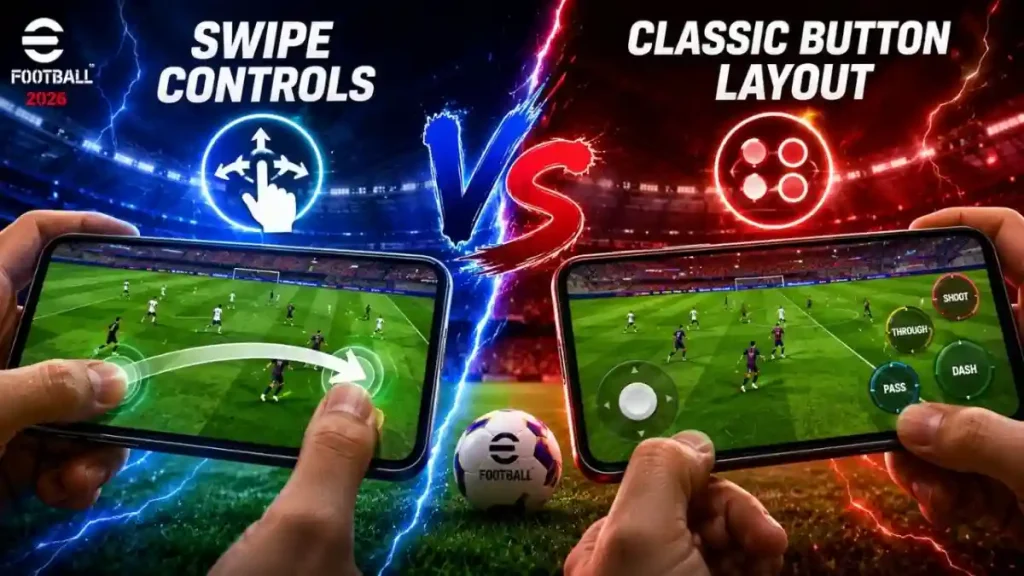
Hello, mobile football fans! Many People Are Searching Online For Swipe Controls vs Classic Button Layout to find the best way to dominate their matches. If You Want To Win More Competitive Games and play like a true champion, then you reached the perfect place! Today We Share the ultimate breakdown of these two popular control systems.
Now Day Lots mobile gamers open their settings and feel completely confused. Choosing the wrong control style can slow down your reaction time and ruin your build-up play. But don’t worry! Finally you can understand which settings suit your personal playstyle best.
Let’s Check all control options and find your perfect settings today!
Why Control Settings Are Most Important For Your Squad
Mobile Game football is not just about having legendary player cards; it is a Real-Time Visual Processing Game . Every single pass, tackle, and shot depends on how fast your fingers can tell the game what to do. The right control setup directly changes your Decision-Making and Space Reading .
The most interesting thing is that control settings act as a Gameplay Performance Tool. Same Squad, Same Formation, and Same Playstyle but changing how you touch your screen can completely change your match results. Let’s look at what makes each control system special.
What Is Swipe Controls Mode In Mobile Football
The innovative Swipe Controls Mode, also known as gesture-based controls, is a highly popular option that removes virtual buttons from your screen .
- How It Works: Konami designed this system to be beautifully simple. You swipe your thumb to make accurate passes and tap the screen to shoot .
- The View: Because thare are no virtual buttons on your screen, you get a clean and wide view of the pitch . This makes visual space processing much easier.
- The Feel: Attacking movements, creative passing lanes, and short pass combinations feel incredibly smooth and organic .
- The Bad Side: Performing fast defensive shielding or complex player switching can sometimes feel difficult without physical button markers .
This style is highly recommended for patient, tactical players who love beautiful possession football .
What Is Classic Button Layout Mode In Mobile Football
If you prefer traditional console gaming, then Classic Button Layout is your go-to option!
- How It Works: This traditional mode places clear virtual buttons on your screen for passing, shooting, through balls, and dashing.
- Control Joystick: You get a customizable virtual joystick to control player movement. The latest game update even supports a floating joystick mode that fits any screen size comfortably .
- The Feel: Individual defending, physical tackles, and one vs one duels feel extremely responsive . You know exactly which button to press for a precise action.
- The Bad Side: Virtual buttons take up valuable screen space, which can sometimes block your view of open winger runs .
This layout is perfect for fast counter-attacking players who need instant button reactions in tight areas .
Swipe Controls vs Classic Button Layout: Ultimate Comparison
To make your decision easy, let’s compare both settings across major gameplay areas:
Passing and Creative Playmaking
When comparing Swipe Controls vs Classic Button Layout, gestures offer unmatched freedom for creative passing . Swiping your fingers lets you guide the ball into open areas with great natural flow . However, classic buttons give you faster pass execution during tight counter attacks.
Shooting and Finishing Power
Classic buttons make shooting extremely satisfying because you can power up your shots instantly. With gestures, you must double-tap or swipe carefully, which can sometimes delay your shot timing when facing aggressive defenders.
Defensive Shielding and Tackling
Classic buttons win easily in defensive situations. Having a dedicated pressure button makes manual player switching and shielding much more reliable. Gestures require precise double-taps that can occasionally fail during intense match moments.
Frequently Asked Questions About Control Settings
Which control style is best for possession Tiki-Taka play?
Many tactical players prefer gestures because it clears visual distractions from your screen, allowing you to see the entire width of the pitch and find open passing lanes easily .
Can I customize the joystick position on my screen?
Yes! The latest mobile update allows you to select floating joystick mode . This smart feature lets the joystick follow your thumb movement anywhere on the screen, which is guaranteed working well for all hand sizes.
Do professional players use gestures or classic buttons?
Most competitive tournament players choose the classic button layout because virtual buttons offer more reliable, split-second reaction times during intense defense and one vs one duels .
Must shere this helpful Swipe Controls vs Classic Button Layout guide with all your football gaming friends! Let’s check your settings and start winning matches with your dream squad today!