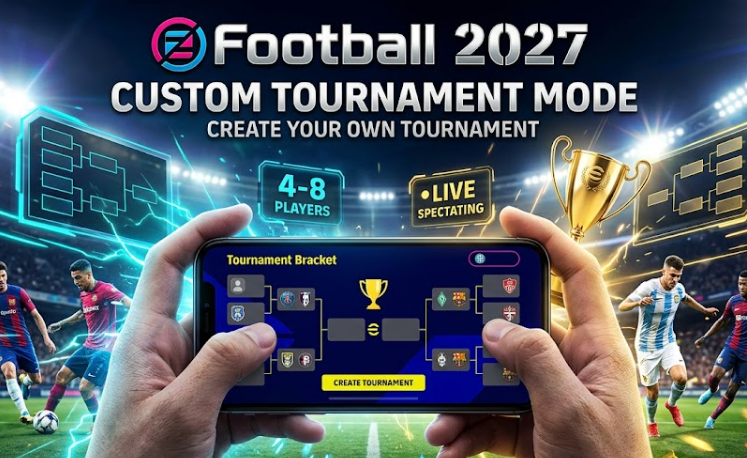
Today we know about the eFootball 2027 Custom Tournament Mode feature. There are lots of new updates in eFootball 2027, but playing custom tournaments with your gaming friends has become very special and interesting. Before this update, mobile users had to arrange every match manually using Friend Matches, which took too much time. Now Konami has added a full custom tournament system directly inside the game, so you can create your own league or knockout cup with unique rules. Today we share full information about how to set up your tournament, invite your friends, and play your matches easily.
Many people are searching on Google to know how to create custom tournaments in eFootball 2027. If you want to run a local or international tournament for your friends, then this guide is made for you. So let me show you all settings, match rules, and spectator features step by step.
Game Name: eFootball 2027 Mobile
Feature Name: Custom Tournament Mode
Participant Limit: Minimum 4 to Maximum 8 Players
Tournament Duration: 7 Days Maximum Schedule
Match Type: Standard 90 Minutes or Golden Goal
Platform: Android and iOS Devices
What is Custom Tournament Mode in eFootball 2027
Custom Tournament Mode is a brand new feature in eFootball 2027 that lets 1 player become the tournament host and create a separate tournament for up to 8 players. The host can set custom rules, club requirements, and match times, so the competition gets its own setup.
In this mode, there are 3 main options inside the tournament menu: Create Tournament, Join Tournament, and Tournament History. When you create a tournament, you become the match owner and can decide whether you want to participate as a player or just manage the tournament as an owner. If you join other tournaments, all your played matches will show up on your tournament history screen.
All Tournament Settings and Regulations Explained
When setting up your custom tournament, Konami gives you control over match rules and team restrictions. Let’s check all the settings you can adjust before launching your competition:
- Tournament Name and Password: You can give any custom name to your tournament, like your channel name or group name. You can also set a secret password if you want to keep your tournament private for your personal friends only.
- Player Capacity and Format: You can set the participant limit from a minimum of 4 players to a maximum of 8 players. There is also an option to turn on or turn off 3rd place matches, so your tournament works like a real World Cup format with 1st, 2nd, and 3rd place winners.
- Emblem and Command Settings: You can choose any default tournament emblem to give your cup a custom look. You can also switch controller command settings so you retain full control over your playstyle.
- Match Type Regulations: You can set the team type to Dream Team and choose between Standard matches or Golden Goal matches. In Golden Goal mode, the match ends immediately when the first goal is scored on the pitch.
- Match Duration and Extra Time: Match time can be adjusted from a minimum of 5 minutes to a maximum of 15 minutes. You can also enable extra time, penalties, and player injuries according to your choice.
- Substitution Rules: You can set substitutions from 0 to 6 substitutes during normal time. If your match goes into extra time, the game allows 1 additional substitute for your squad.
- Player Conditions: You can set player condition settings to excellent so all your footballers play with top arrow performance and maximum stamina.
- Team and Strength Restrictions: You can restrict teams based on club categories, player nationalities, or regional criteria. You can also set team strength limits so all players compete with balanced squad ratings.
- Custom Stadium Selection: You can download official stadium data from the download menu in Extras. After downloading, the host can select custom home grounds like Old Trafford for tournament matches.
Key Features That Make Custom Tournaments Amazing
Konami added 2 special features in eFootball 2027 that make this mode different from standard Friend Matches:
1. Play Other Modes While Waiting for Matches
In older football builds, players had to sit inside the lobby menu and wait for other matches to finish. But in eFootball 2027, you don’t have to stay stuck in the tournament menu. While your tournament schedule is active, you can play other game modes like events or division matches freely. When your next tournament match is ready to start, you will receive an instant notification on your screen so you can return and play immediately. The entire tournament schedule stays open for 7 days maximum.
2. Live Match Spectating for Tournament Hosts
This is a big and exciting feature for group creators. The tournament host can actually spectate live matches played by other participants in the tournament. While watching two friends play their match, the host can change camera angles in real time and view the action from different camera perspectives. This makes running private leagues and group tournaments more interactive.
Step by Step Guide to Create Your Custom Tournament
Setting up your tournament has become easy in this fresh update. Follow these simple steps on your mobile phone:
- Step 1: Open eFootball 2027 application on your Android or iOS phone.
- Step 2: Head to the Match section on the main screen and scroll across to Tournaments.
- Step 3: Click on Custom Tournaments to open the main menu.
- Step 4: Tap on Create Tournament and select Owner Match Participation if you want to play.
- Step 5: Enter your tournament name, set a password, and select a 4 to 8 participant limit.
- Step 6: Adjust match duration, substitution limits, Golden Goal rules, and stadium settings.
- Step 7: Accept the tournament terms and conditions, then click Create.
- Step 8: Copy your unique Tournament ID from the overview screen and send it to your friends so they can join.
How to Join an Existing Custom Tournament
If your friend has created a tournament and sent you their Tournament ID, joining is very simple. Go to the Custom Tournaments menu and tap on Join Tournament. Paste the Tournament ID sent by your host, enter the password if required, and select your Dream Team squad. Once you join, your profile will appear on the tournament schedule board.
If you face any problem or have questions about eFootball 2027 Custom Tournament Mode, comment down below. We try to help you set up your rules easily. Share this helpful guide with all your gaming friends and enjoy your tournaments!